Most "free" AI writing tools aren't really free — you get a handful of generations, then a paywall, an account wall, or a watermark on the output. ToolFlow's AI tools work differently: no signup, no credits system, no limit on how many times you generate. This guide covers how they actually work behind the scenes, which tool to reach for depending on the task, and how to get a genuinely usable draft out of a single prompt.
How ToolFlow's AI Writing Tools Actually Work
Unlike ToolFlow's PDF and image tools — which run entirely in your browser — the AI tools work differently, and it's worth understanding why. When you click Generate, your prompt is sent through a lightweight server proxy to OpenAI's GPT-4o mini model, which writes the response and sends it back. The proxy exists so the API key never has to sit in your browser where anyone could see it; you never create an account, and ToolFlow doesn't store your prompts or the text that comes back.
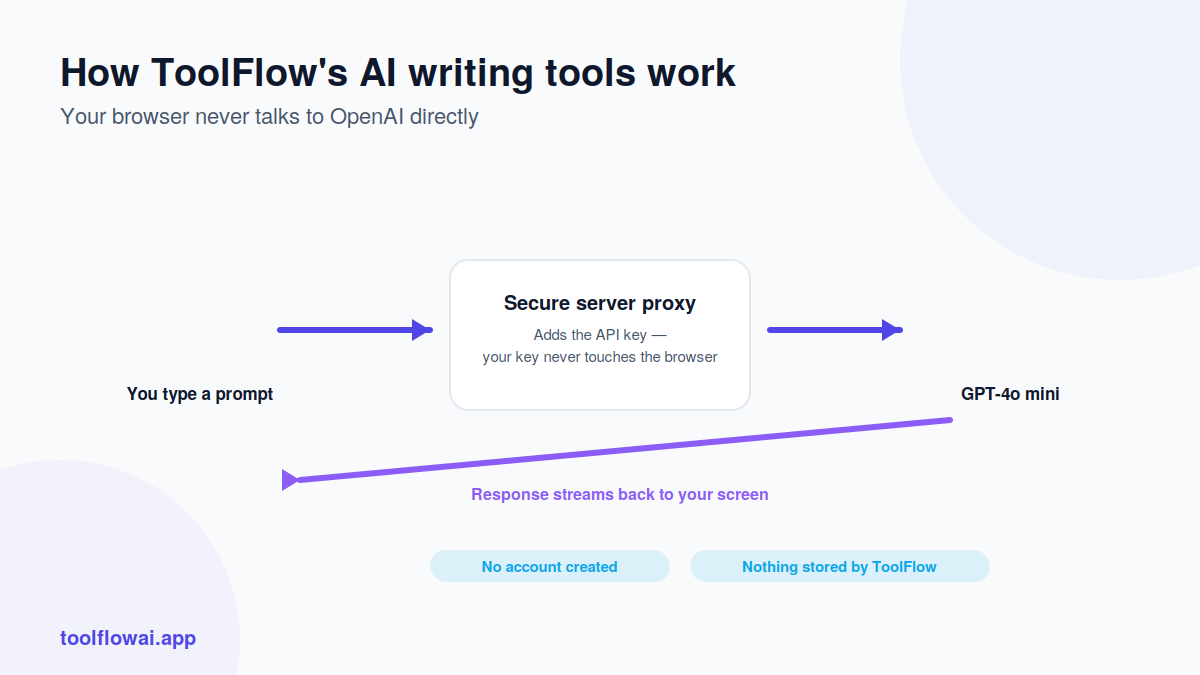
That's a meaningfully different privacy model than a PDF tool that never leaves your device — the text you write is genuinely processed by OpenAI to generate a reply. It's the same trade every AI writing tool makes; ToolFlow just skips the account wall and paywall that usually comes with it.
The Free AI Writing Tools Available
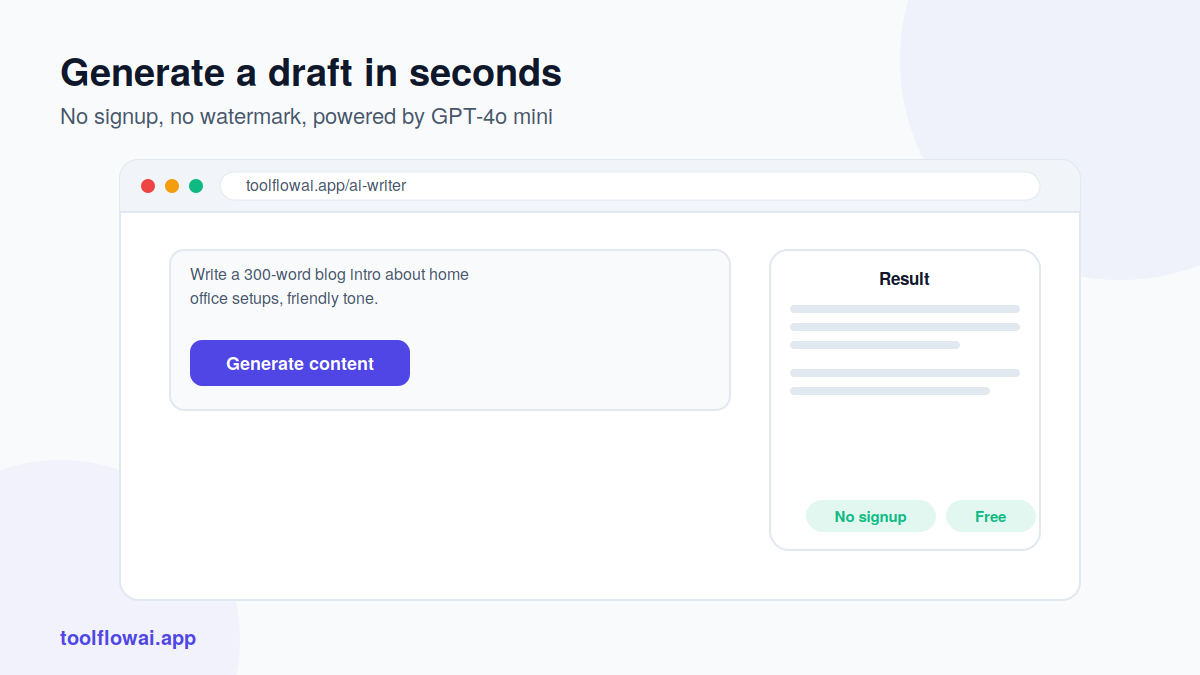
One general-purpose writer covers a lot, but a few of ToolFlow's tools are tuned for specific jobs:
- AI Writer — general-purpose content generation: blog posts, product descriptions, captions, anything you describe
- AI Blog Post Generator — a complete post with an introduction, headed sections and a conclusion in one generation
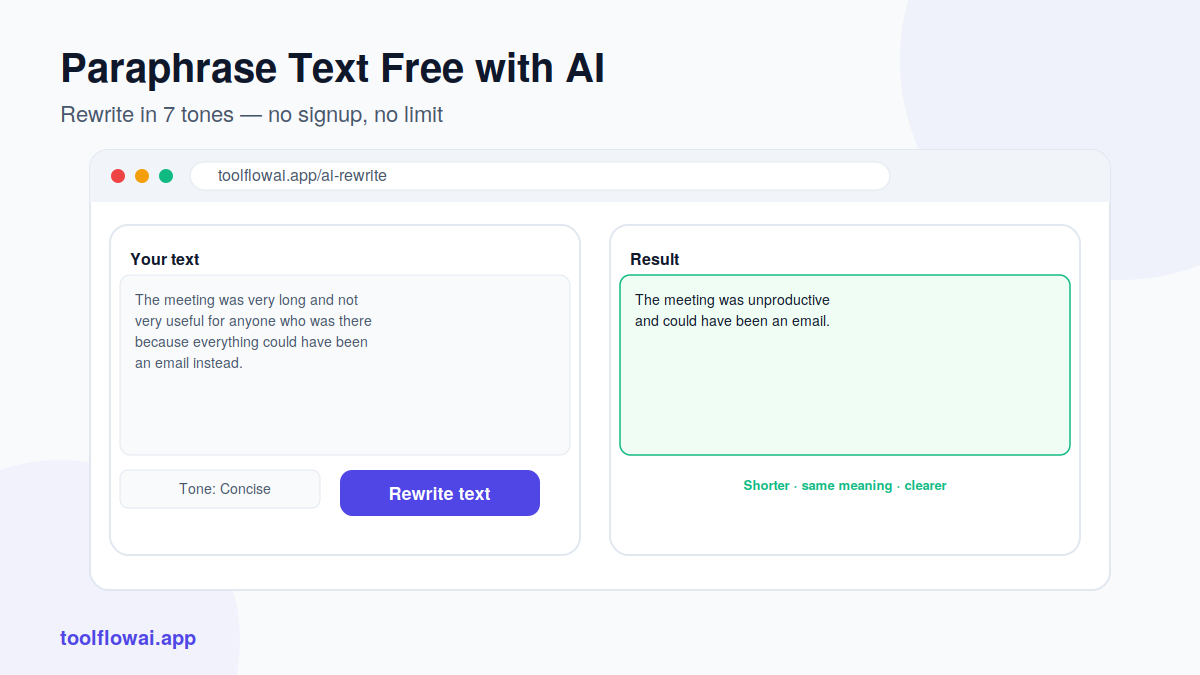
- AI Rewriter — rephrases existing text for clarity, with a tone selector
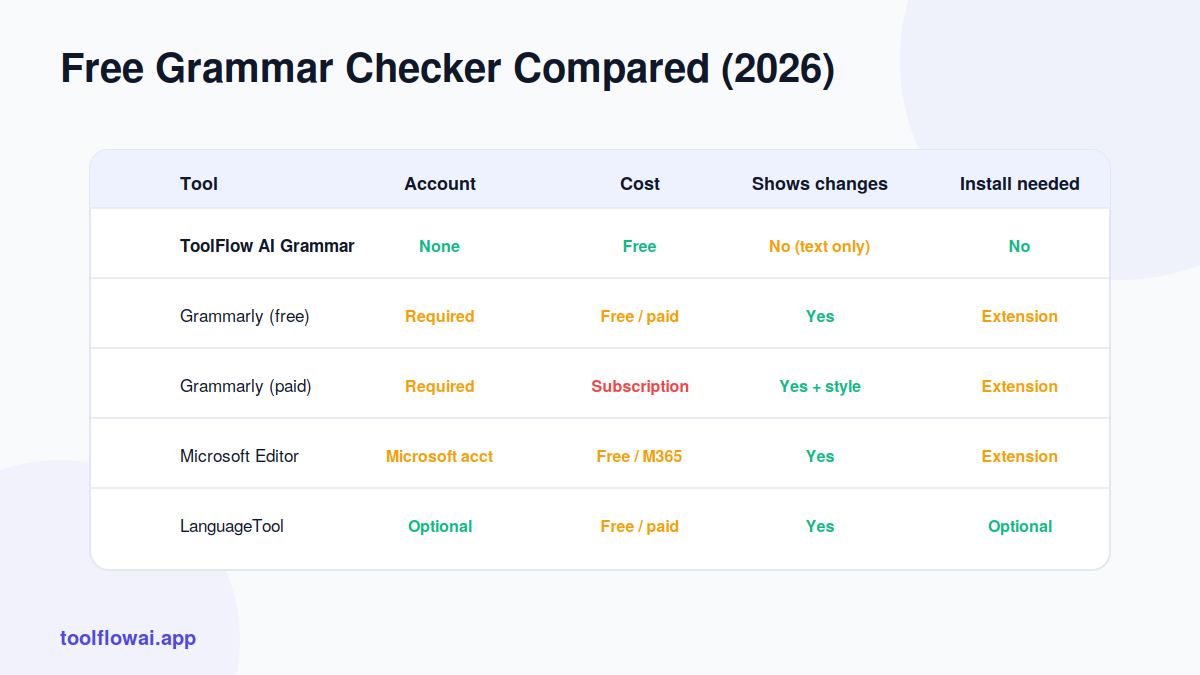
- AI Grammar Checker — corrects grammar, spelling and punctuation without changing your meaning
- AI Content Improver — sharpens wording and flow on a draft you already have, with a tone selector
- AI Summarizer — condenses a long passage into a short summary plus bullet points
- AI Title Generator — generates eight title options from a topic description
- AI Email Writer — a complete professional email with subject and body, with a tone selector
- AI Paragraph Generator — one well-structured paragraph from a topic or opening line
- AI Translator — translates text into the language you specify
They're all the same underlying model — GPT-4o mini — with a different system prompt tuned for the task, which is why picking the right one for the job gets you a more usable result on the first try than fighting a general-purpose prompt into shape.
How These Compare to Other Free AI Writing Tools
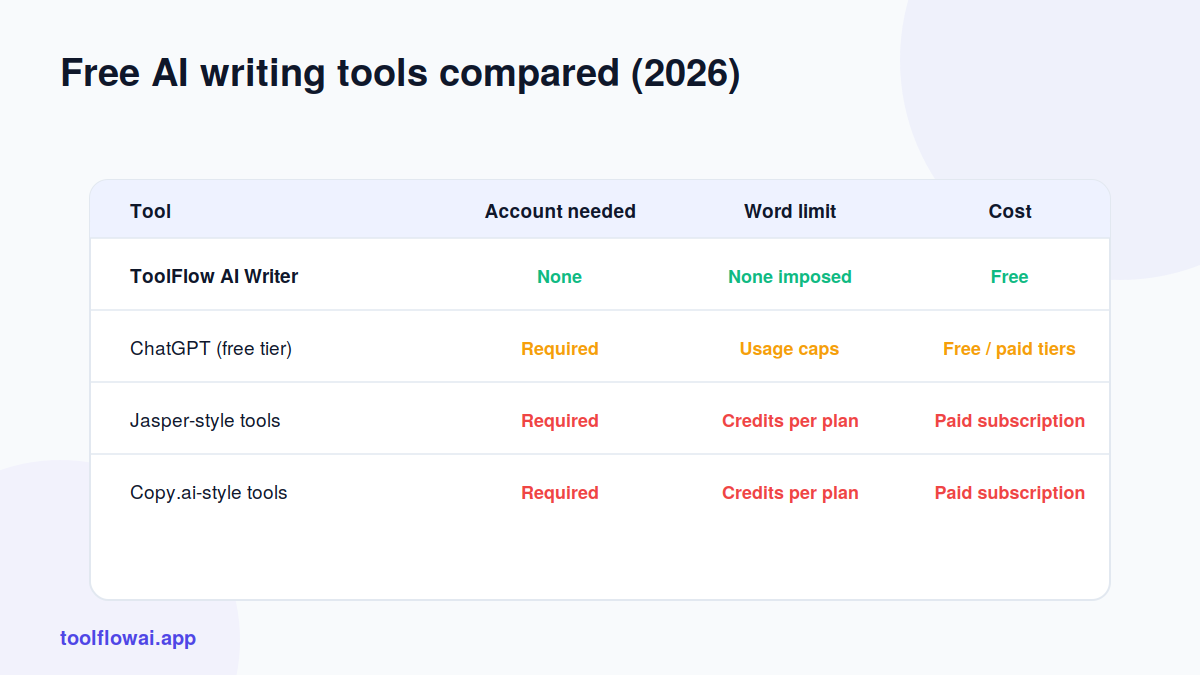
ChatGPT's free tier is genuinely capable but wants an account and enforces usage limits. Subscription tools built around content marketing — the Jasper and Copy.ai style of product — are usually credit-metered and built for teams paying monthly. ToolFlow sits in a different spot: no account, no credit system, and nothing hidden behind a plan upgrade.
How to Get Better Results
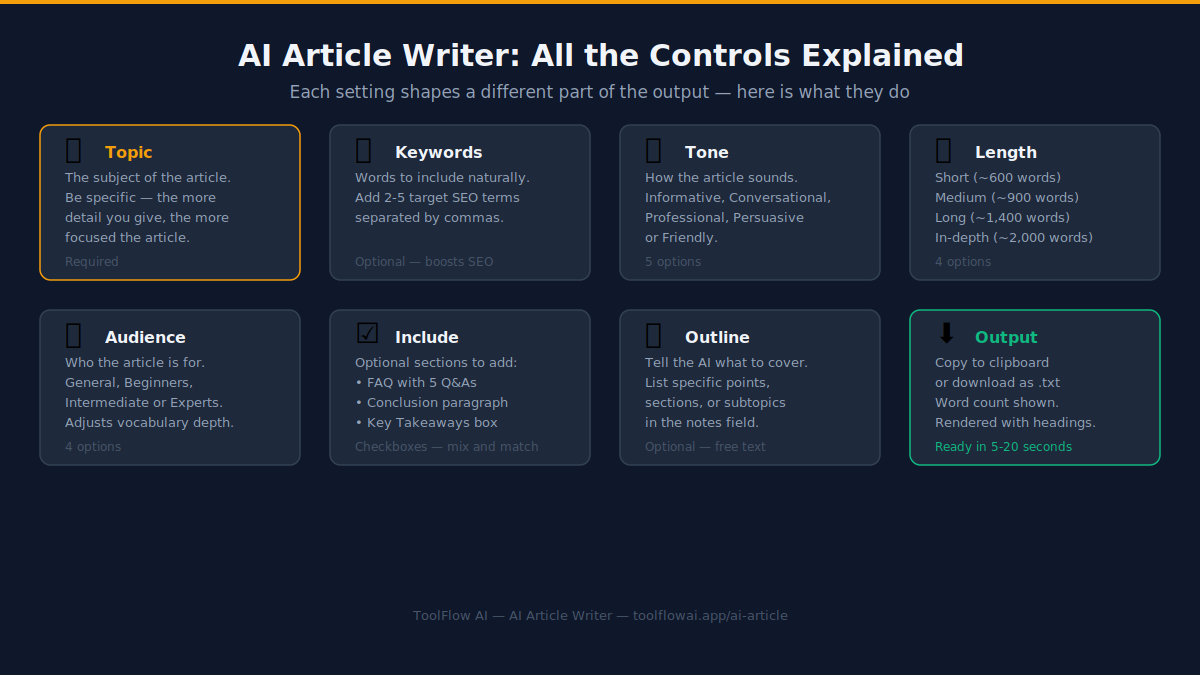
- Put tone, length and audience in the prompt itself — most of these tools don't have a length slider, so "300 words, friendly tone, for busy parents" gets a far more usable draft than a bare topic
- Use the tool built for the job — reaching for the Rewriter to fix grammar works, but the Grammar Checker is tuned specifically for that and won't rephrase sentences you didn't ask it to touch
- Treat the first draft as a draft — edit it into your own voice and add the specific details only you would know before publishing anything
- Always fact-check anything factual — like any AI writing tool, it can generate a confident-sounding statistic or date that's simply wrong; verify anything you didn't already know to be true
- Chain tools together — generate a draft with AI Writer, tighten it with AI Content Improver, then run it through AI Grammar Checker as a final pass
Try the AI writer — free, no signup
Describe what you need and get a draft back in seconds.
Frequently Asked Questions
Is ToolFlow's AI writer really free?
Yes — no account, no credit system, no word-count paywall. It's powered by GPT-4o mini via a secure proxy.
Is my prompt uploaded to a server?
Your prompt text is sent to OpenAI's API to generate a response — that's how the tool works. ToolFlow doesn't store your prompts or the generated text beyond producing that one reply.
Can I use the generated content commercially?
Yes. Review OpenAI's usage policies for the latest guidance on commercial use of AI-generated content.
Should I publish AI-generated content as-is?
Treat it as a first draft. Edit it into your own voice, add specifics only you would know, and fact-check anything factual before publishing.
Which AI tool should I use to fix grammar without changing my wording?
The AI Grammar Checker — it corrects errors without rephrasing sentences that are already correct.