Most writing doesn't need to be rewritten from scratch — it needs sharpening. A first draft usually has the right ideas in roughly the right order; what it's missing is tighter sentences, clearer transitions, and fewer filler words. An AI content improver is built for exactly that job: taking something already written and making it stronger, not replacing it with something generic.
What "improving" writing actually means
Improvement isn't one thing — it can mean tightening (cutting unnecessary words), clarifying (fixing confusing sentences), strengthening tone (making flat writing more engaging), or fixing flow (smoothing awkward transitions between ideas). A content improver that's told simply "make this better" has to guess which of these you mean. Being specific — "tighten this, cut at least 20% of the words" or "make the tone warmer" — gets a far more useful result than a vague request.
The risk of losing your voice, and how to avoid it
AI editing tools have a default style — a slightly formal, slightly generic register that shows up if you don't push back against it. The fix is to review every suggested change against one question: does this still sound like me, or does it sound like it was smoothed by a machine? Keep your own specific word choices, sentence rhythms, and quirks where they're intentional, and only accept changes that fix a real problem — the goal is stronger writing that's still recognizably yours, not writing that reads like everyone else's AI-edited draft.
A practical before-and-after workflow
Paste in your draft and ask for a specific type of improvement rather than a general polish. Compare the suggested version against your original line by line rather than accepting it wholesale. Keep sentences or phrases you like, and only take the specific fixes that solve a real issue — a run-on sentence, a vague claim, a weak opening line. Over several rounds, this produces writing that's tighter and clearer while still sounding like you wrote it.
Practical examples and use cases
- Tightening a rambling email draft down to the essential points before sending.
- Improving the flow of a blog post draft where the paragraphs feel disconnected from each other.
- Strengthening a flat product description that's technically accurate but not persuasive.
- Polishing a cover letter's tone without losing the personal details that make it feel genuine.
Step-by-step guide
- Paste your draft text into the improver.
- Specify what kind of improvement you want: tighter, clearer, warmer tone, better flow.
- Compare the suggested version against your original, line by line.
- Keep your own phrasing where it's intentional and accept only the changes that fix a real issue.
- Read the final version aloud to confirm it still sounds like your voice, not a generic AI rewrite.
Benefits and limitations
Benefits
- Fixes concrete writing problems (wordiness, unclear sentences, weak transitions) quickly
- Works on existing writing rather than generating something new, which preserves more of your original intent
- Can target a specific type of improvement (tone, tightness, clarity) rather than a vague general polish
- Free and fast enough to use as a standard step before publishing anything important
Limitations
- Has a default editing style that can flatten a distinctive voice if suggestions are accepted uncritically
- Works best with a specific instruction — vague requests like "make this better" produce less useful results
- Doesn't know your intended audience or context unless you specify it, which can affect what counts as an improvement
Common mistakes to avoid
- Accepting every suggested change without checking whether it still sounds like you
- Giving a vague improvement instruction instead of specifying what kind of fix you actually need
- Running the same text through the improver repeatedly, which can gradually flatten distinctive phrasing
- Using it only for grammar fixes when it can also help with structure, tone, and flow
Tips and best practices
- Ask for one specific type of improvement at a time — tightening, then tone, then flow — rather than a single vague "improve this" request.
- Keep an eye out for your own recurring phrases or quirks in the suggestions — if they're consistently removed, explicitly ask the tool to preserve your voice.
- Use it as a second pass after your own first edit, not as a replacement for editing your own work at all.
Try the AI Content Improver — free
No signup, no cost. Generate results in seconds, right in your browser.
Related free tools
Frequently Asked Questions
Will an AI content improver make my writing sound generic?
It can, if you accept every suggestion uncritically — AI editing tools default to a slightly formal, generic register. Review suggestions against your own voice and keep phrasing you like intentionally.
What's the difference between an AI content improver and an AI rewrite tool?
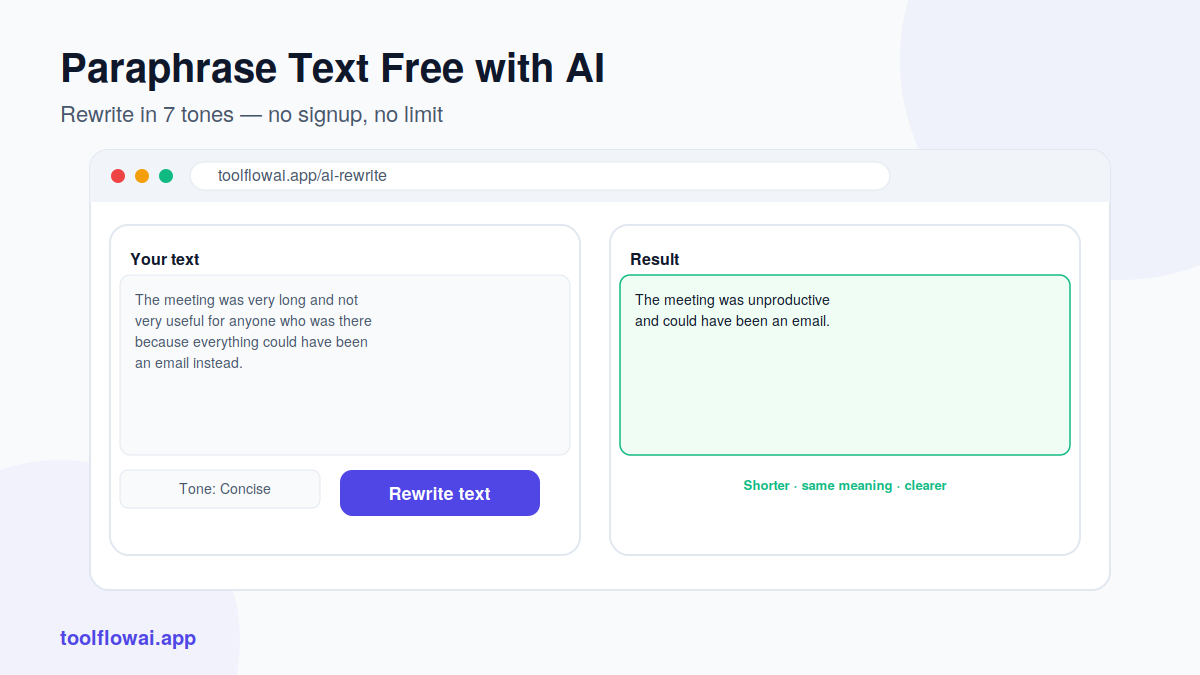
A content improver typically makes targeted fixes to existing text (tightening, clarifying, smoothing flow) while preserving most of the original structure. A rewrite tool tends to produce a more substantially different version, useful when you want a bigger change in tone or approach.
Can I ask it to fix just grammar without changing my style?
Yes — specify that explicitly ("fix grammar and spelling only, don't change my phrasing or tone") to get a more conservative edit that leaves your voice intact.
How much of the text should I paste in at once?
Shorter, focused sections (a paragraph or a few paragraphs) generally get more careful, specific improvement suggestions than pasting in an entire multi-page document at once.
Does it work for creative writing, or just business content?
It works for both, but for creative writing be especially careful about accepting suggestions uncritically — voice and stylistic choices matter even more in creative work, and a generic edit can flatten what makes the piece distinctive.
Can I run my text through it multiple times for more improvement?
You can, but diminishing returns and voice-flattening both increase with repeated passes. One or two focused rounds, with your own review in between, usually works better than many repeated passes.
Is it useful for non-native English writers?
Yes, particularly for catching grammar issues and unnatural phrasing, though the same caution about preserving your own voice and specific meaning still applies.
Ready to try it yourself?
The AI Content Improver is free, works instantly in your browser, and needs no signup.