A few years ago, AI-generated articles were obviously robotic — repetitive, shallow, and riddled with filler phrases. That has changed dramatically. Modern AI writers can produce well-structured, readable drafts on almost any topic in seconds. The challenge now is knowing how to direct it, and how to turn its output into something worth publishing.
What ToolFlow's AI Article Writer does
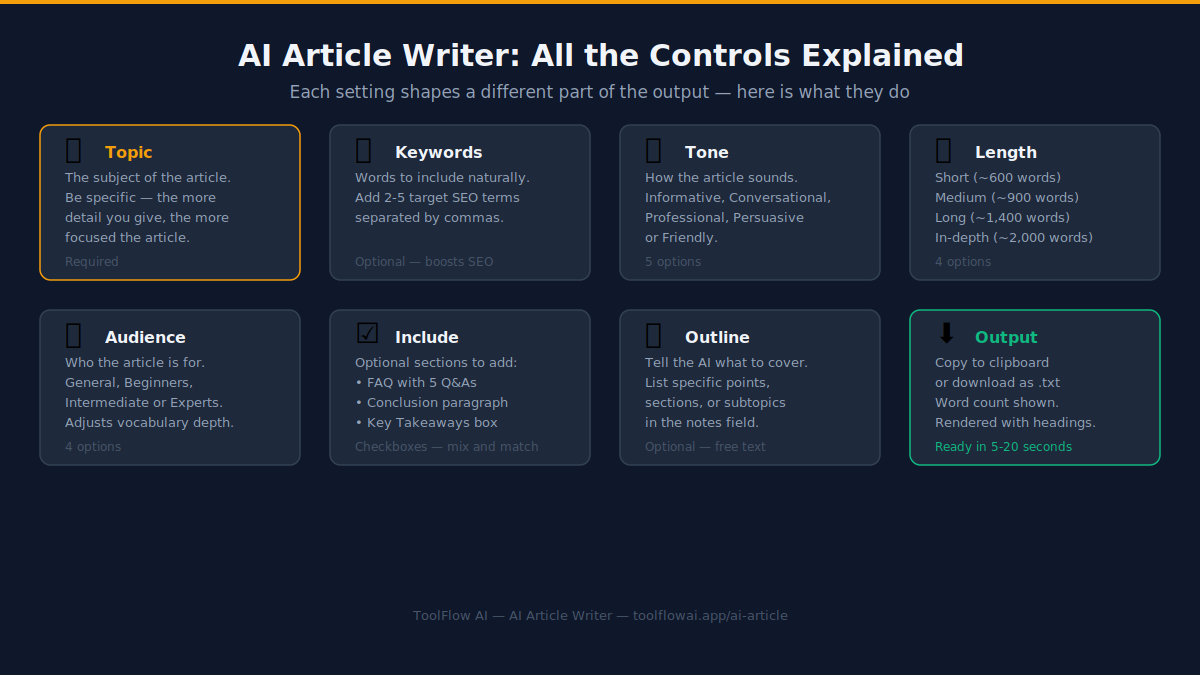
The AI Article Writer gives you specific controls for every key dimension of the article: topic, target keywords, tone, length, audience level, optional sections (FAQ, conclusion, key tips), and a custom outline field. That combination means you can go from a blank page to a structured 1,400-word draft in about 15 seconds.
Start with a better topic prompt
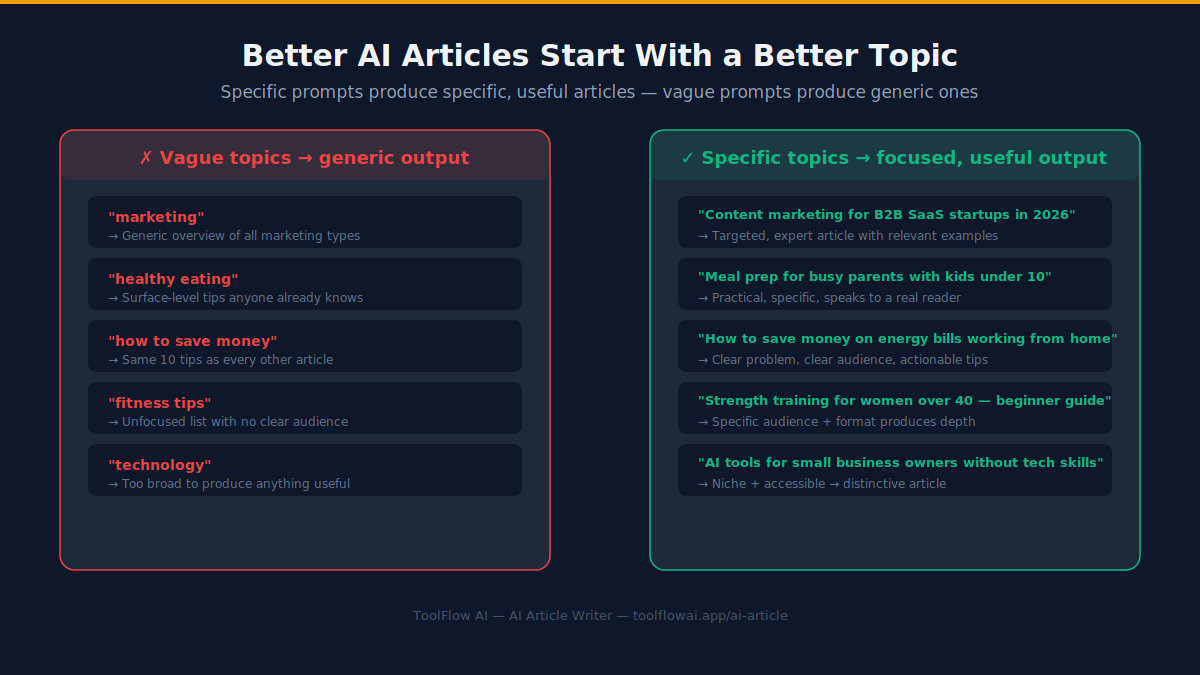
The topic field is the most important input. Vague topics produce vague articles. Compare: "marketing" produces a generic overview anyone could find anywhere. "Instagram marketing for independent coffee shops in 2026" produces a focused, practical article that helps a real reader. A good topic prompt answers at least two of these: who is it for, what specific problem does it solve, what is the context or time frame?
How to use each control effectively
- Keywords — add 2–5 SEO terms you want to rank for. The AI weaves them in naturally. A few targeted terms outperform a long list.
- Tone — Informative suits how-to guides. Conversational works for blogs. Professional suits business content. Persuasive is for opinion pieces.
- Length — Short (600 words) for quick overviews. Most blog posts perform well at Medium to Long (900–1,400 words). In-depth (2,000 words) for comprehensive guides.
- Audience — adjusts vocabulary depth. Beginners get definitions and step-by-step structure. Experts get more technical depth and less hand-holding.
- Include options — the FAQ checkbox adds 5 Q&As at the end, which ranks well in People Also Ask boxes. Key Takeaways is ideal for scannable content.
- Outline — the most powerful optional field. List the specific sub-topics or points you want covered and the AI will follow your structure precisely.
The smart AI writing workflow
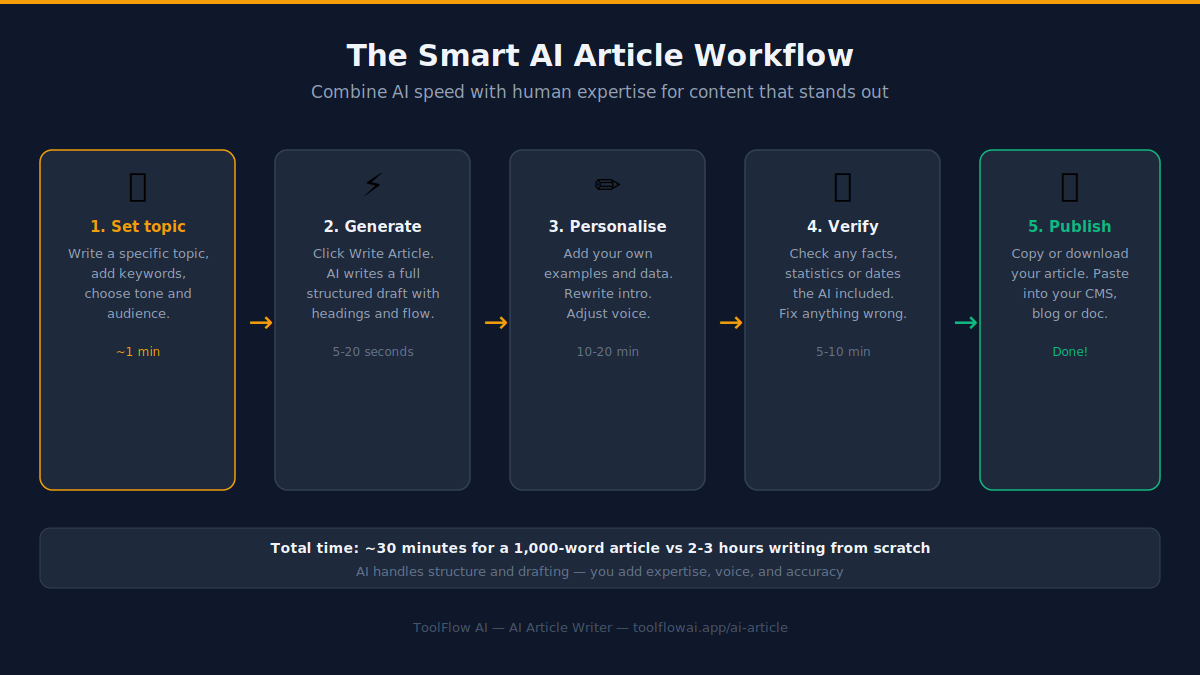
- Set a specific topic and outline (~1 minute) — write a clear topic and list 4–6 specific points in the outline field
- Generate the draft (15–20 seconds) — click Write Article and let the AI produce the full structured draft
- Personalise (10–20 minutes) — add your own examples, replace generic stats with real ones, rewrite the introduction in your own voice
- Verify facts (5–10 minutes) — check any specific claims, statistics, or dates. AI can sound very confident about things that are simply wrong.
- Publish — copy or download as .txt and paste into your CMS or document
Total time for a 1,000-word article: roughly 30 minutes, versus 2–3 hours writing from scratch.
What to edit before publishing
- The introduction — AI intros often start with the same patterns. Rewrite the opening paragraph to be more direct and specific to your readers.
- Generic examples — replace placeholder examples with real ones from your own experience or industry.
- Any statistics — never publish AI-generated statistics without checking them. The AI often produces plausible-sounding figures that are invented.
- Brand voice — adjust vocabulary and sentence length to sound like you, not a template.
Try the AI Article Writer — free, no signup
Set your topic, choose tone and length, get a full structured article in seconds.
Frequently Asked Questions
Is AI-written content allowed on Google?
Google rewards helpful, people-first content regardless of how it was produced. AI content that is accurate, original in framing, and genuinely useful can rank well. Thin, repetitive AI content that wasn't reviewed performs poorly — the same as poor human-written content.
How do I stop AI articles sounding generic?
Use a specific topic and outline, then edit the output: rewrite the introduction, add personal examples, verify statistics, and adjust the voice to match how you write. The AI draft is your starting point, not your final product.
Can I generate articles in other languages?
Yes — include the target language in your topic (e.g. "Write in Spanish: How to grow tomatoes on a balcony") and the article will be generated in that language. For translation of existing content, use the AI Translator.
What is the longest article I can generate?
The In-depth setting targets approximately 2,000 words. For longer pieces, generate sections separately using the outline field and combine them.
Will it include sources and citations?
No — the AI does not fetch live information or cite sources. Verify any specific claims independently before publishing.
How is this different from the AI Writer tool?
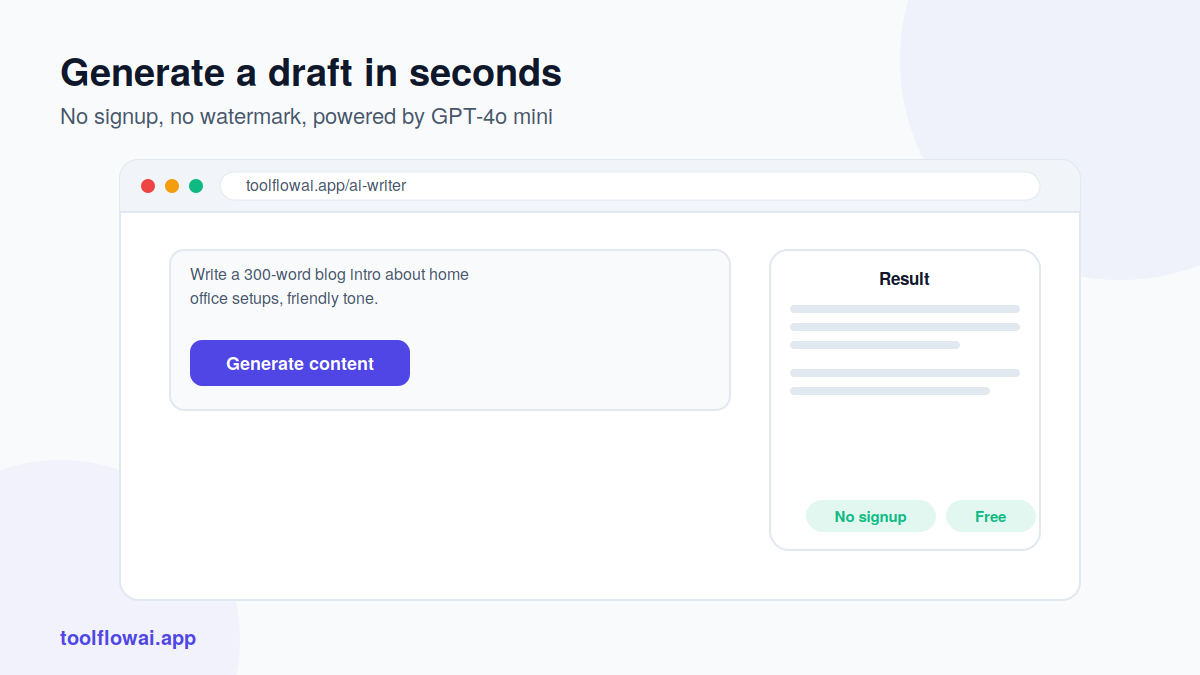
The AI Writer takes a freeform prompt and generates any kind of content. The AI Article Writer is specifically designed for full articles and gives you structured controls (keywords, tone, audience, length, FAQ, outline) so you get a well-shaped article without having to write a detailed prompt yourself.